Are you spending money on Google Ads but not seeing enough enquiries, bookings or sales?
You're not alone. One of the biggest frustrations I hear from business owners is that they're paying for Google Ads, getting clicks and watching their advertising budget disappear without seeing a worthwhile return.
But here's the thing.
More clicks don't necessarily mean more customers.
Whether you're spending £300 or £3,000 a month, small mistakes in your campaign setup, targeting, conversion tracking and website can quickly lead to wasted advertising spend.
With over 18 years of experience in digital marketing, I've seen how the right adjustments can make a difference to campaign performance.
Here are 10 common Google Ads mistakes I look for when auditing accounts, and what you can do to fix them.
1. Targeting the Wrong Keywords
One of the biggest mistakes businesses make is targeting keywords that generate traffic but have little chance of turning into customers.
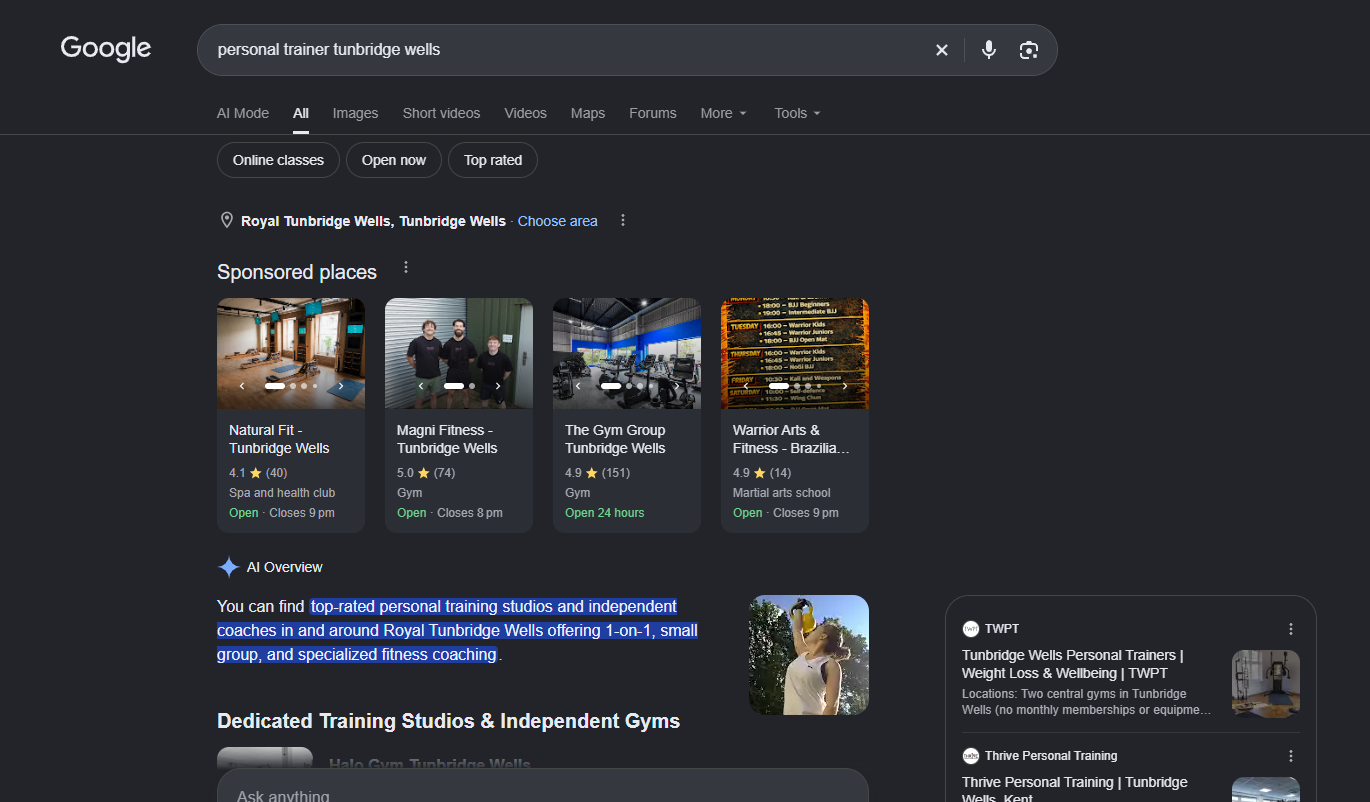
Let's say you're a personal trainer in Tunbridge Wells.
You could target the keyword "fitness", but that's incredibly broad.
Someone searching for fitness might be looking for free workouts, fitness qualifications, exercise equipment or general health advice.
Compare that with someone searching for:
- Personal trainer Tunbridge Wells
- One-to-one personal training near me
- Personal training prices Tunbridge Wells
- Private fitness coach Kent
These searches indicate a much clearer interest in finding a service.
How to fix it
Start by understanding what your ideal customers actually search for when they're ready to enquire or buy.
Focus on keywords with relevant to them rather than simply chasing high search volumes.
| AIDA stage | What the person is thinking | Better keyword terms to target | Intent level |
|---|---|---|---|
| Attention | “I know I need to get fitter, but I’m just exploring.” | fitness classes Tunbridge Wells, gym Tunbridge Wells, weight loss help Tunbridge Wells, fitness coach Tunbridge Wells | Low |
| Interest | “I’m interested in support and want to look at options.” | personal trainer Tunbridge Wells, female personal trainer Tunbridge Wells, private trainer Tunbridge Wells, one-to-one fitness coach Tunbridge Wells | Medium |
| Desire | “I’m seriously considering booking and want the right fit.” | best personal trainer Tunbridge Wells, personal training prices Tunbridge Wells, beginner personal trainer Tunbridge Wells, personal trainer for weight loss Tunbridge Wells | High |
| Action | “I’m ready to enquire or book now.” | book personal trainer Tunbridge Wells, personal trainer near me, personal training consultation Tunbridge Wells, hire personal trainer Tunbridge Wells | Very high |
My tip: I'd rather generate 50 highly relevant clicks than 500 clicks from people who have no intention of purchasing.
2. Not Reviewing Your Search Terms Report
This is something I always look at when reviewing a Google Ads account.
Your keywords and the actual searches triggering your adverts aren't necessarily the same thing.
Google's keyword matching system can show adverts for searches that are related to your keywords, depending on your match types and campaign settings.
And sometimes those searches aren't particularly relevant.
Imagine you run a landscaping company in Tunbridge Wells.
You're advertising your garden landscaping services, but your ads are appearing for searches relating to gardening jobs or free garden design ideas.
You could be paying for visitors who aren't interested in hiring you.
How to fix it
Regularly review your Google Ads Search Terms Report.
Look for searches that are generating clicks but aren't relevant to your services.
Then identify opportunities to refine your keywords or introduce negative keywords.
Google doesn't display every individual query in the report, so use the data that is available alongside your wider campaign performance.
My tip: Don't just look at how many clicks a keyword generates. Look at which searches actually contribute to enquiries and sales.
3. Forgetting to Add Negative Keywords
Negative keywords help prevent your adverts from appearing for searches that are unlikely to be relevant to your business.
And they're one of the first things I'd check when auditing a Google Search campaign.
For example, imagine you're promoting paid personal training sessions.
You might not want to advertise to people searching for:
- Free personal training
- Personal trainer jobs
- Personal training courses
- How to become a personal trainer
These people may be interested in fitness, but they're not necessarily looking to purchase your services.
How to fix it
Create a relevant negative keyword list based on your business objectives and search terms data.
Review that list regularly.
Be careful not to exclude potentially valuable searches accidentally.
And remember that negative keyword matching behaves differently from regular keyword matching.
My tip: Your negative keyword list should evolve as you gather more campaign data.
4. Sending Everyone to Your Homepage
Imagine someone searches Google for "laser hair removal Tunbridge Wells".
They click your advert expecting to find information about laser hair removal.
But instead, they land on the homepage of a beauty clinic.
Now they need to find the treatments section, navigate through the website, locate the correct treatment and work out how to book.
That's a lot of unnecessary effort.
And every additional step creates another opportunity for someone to leave.
How to fix it
Send your advertising traffic to the most relevant landing page.
If you're advertising laser hair removal, send users directly to your laser hair removal page.
If you're promoting personal training, send them to a page explaining your personal training services.
Your landing page should make it easy for customers to understand:
- What you're offering.
- Who the service is for.
- What it costs, where appropriate.
- Why they should choose you.
- What they need to do next.
My tip: Your advert and landing page should feel like one continuous conversation.
If your advert promises a free consultation, make sure that offer is clearly visible when someone lands on your website.
5. Not Tracking Conversions Properly
This is one of my biggest frustrations as a digital marketer.
Businesses spend money on Google Ads but don't know which campaigns are generating actual enquiries or customers.
They can tell me how many clicks they received.
They can tell me how many impressions their adverts generated.
But when I ask how many paying customers came from their advertising, they don't know.
And that's a problem.
Because if you're not measuring the right conversions, how do you know what's working?
How to fix it
Make sure your Google Ads conversion tracking is configured correctly.
Depending on your business, you might want to track:
- Completed enquiry forms.
- Telephone enquiries.
- Appointment bookings.
- Purchases.
- Revenue.
- Qualified leads.
- Confirmed customers.
I'd also recommend checking your Google Analytics 4 and Google Tag Manager setup.
For automated bidding campaigns, it's particularly important to understand which actions are included in your bidding goals.
For example, if your campaign is optimising towards low-value actions rather than actual enquiries, you may attract traffic that looks successful in your reports but doesn't generate meaningful business results.
My tip: A button click isn't necessarily a lead. I'd want to know whether the form was successfully submitted and whether that enquiry became a customer.
6. Targeting the Wrong Locations
If you run a local business, geographic targeting is incredibly important.
Let's say you're a beauty clinic based in Tunbridge Wells.
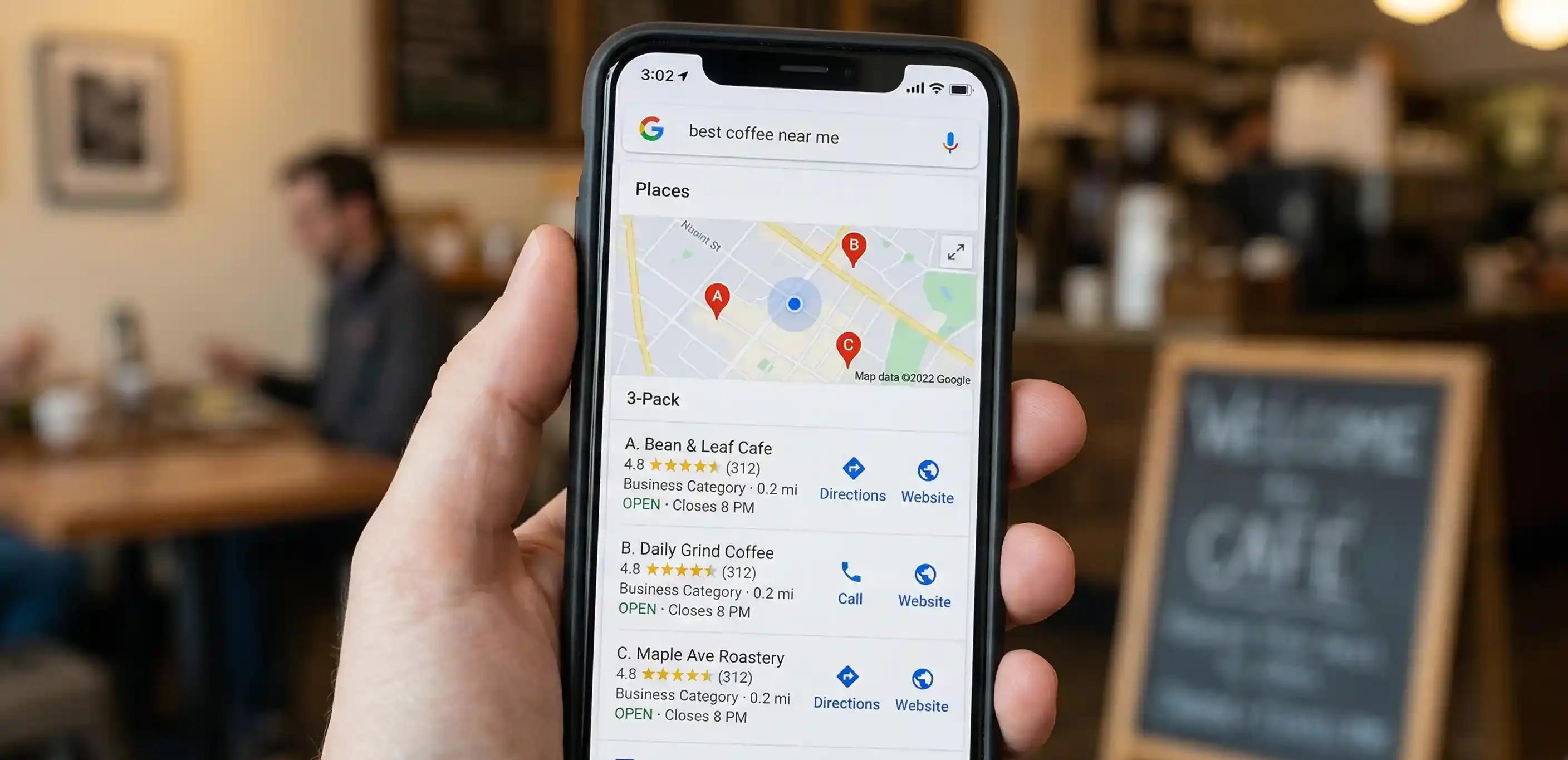
Your customers might come from Tunbridge Wells, Southborough, Pembury, Tonbridge and nearby towns.
But you probably don't want to spend your advertising budget attracting enquiries from people hundreds of miles away who can't realistically visit your clinic.
How to fix it
Review your campaign location settings.
Google Ads offers different location targeting options, including reaching people based on their presence in or interest in your selected locations.
Depending on your business, you may want to focus on people physically present in the area you serve.
For other businesses, people researching a location from elsewhere could still be valuable.
There's no universal setting that's right for everyone.
My tip: If you're investing in Google Ads in Tunbridge Wells, make sure your targeting reflects where your customers actually come from, not simply where your business is located.
Also review location performance data. Your most valuable customers might be coming from nearby towns you hadn't initially considered.
7. Using the Wrong Bidding Strategy
Google Ads offers several bidding strategies.
Some focus on clicks.
Others focus on conversions, conversion value or a particular return on advertising spend.
The mistake is assuming that one strategy works for every business.
For example, if your main objective is to generate qualified enquiries, a bidding strategy focused entirely on maximising clicks might not be the most commercially appropriate long-term choice.
Equally, setting an unrealistic target cost per acquisition can restrict campaign delivery.
How to fix it
Choose a bidding strategy that aligns with your actual business objectives.
I'd consider:
- Your available budget.
- The quality and volume of conversion data.
- Your average customer value.
- Your target cost per acquisition.
- Your campaign history.
- Whether you're generating leads or ecommerce purchases.
Automated bidding can be powerful, but it relies on appropriate conversion goals and useful performance signals.
My tip: Don't change bidding strategies every few days just because you're impatient for results.
Give your campaigns sufficient time and data to make meaningful decisions, while continuing to monitor performance.
8. Writing Ads That Don't Give People a Reason to Click
Your Google Ads copy needs to communicate why someone should choose your business.
And yet I regularly see adverts that are incredibly generic.
For example:
"Professional Services Available"
"Contact Us Today"
"High Quality Service"
These statements could describe almost any business.
They don't tell customers what makes you different.
How to fix it
Use your advertising copy to communicate something genuinely useful.
For example, a personal trainer might highlight:
- One-to-one personal training.
- A convenient Tunbridge Wells location.
- Flexible appointment availability.
- Experience working with beginners.
- A clear introductory consultation offer.
A beauty clinic could highlight its relevant treatments, consultation process or genuine customer benefits.
You can also use suitable Google Ads assets to provide additional information, such as relevant sitelinks and callouts.
My tip: Clarity beats cleverness.
Tell customers what you offer, why it's relevant and what they should do next.
Avoid exaggerated claims or promises you can't support.
9. Leaving Google Ads on Autopilot
Google Ads has become increasingly automated.
From Smart Bidding to Performance Max, Google uses machine learning to help advertisers optimise their campaigns.
And automation can be incredibly useful.
But there's a difference between using automation strategically and simply letting campaigns run without understanding their performance.
I've seen businesses launch campaigns, accept automated recommendations and then leave everything running for months without properly reviewing their results.
How to fix it
Schedule regular campaign reviews.
Depending on your account and budget, I'd want to look at:
- Conversion performance.
- Cost per acquisition.
- Search terms.
- Budget allocation.
- Asset performance.
- Location performance.
- Audience insights.
- Landing page conversion rates.
- Changes in competition and demand.
I'd also review Google's recommendations rather than automatically applying every suggestion.
Some recommendations may be valuable.
Others might not align with your commercial goals.
My tip: Automation should support your advertising strategy, not replace it.
10. Focusing on Clicks Instead of Actual Business Results
This is probably the most important mistake of all.
Too many businesses judge their Google Ads performance by how much traffic they're getting.
But website traffic doesn't pay your bills.
Customers do.
Imagine two campaigns.
Campaign A
- 1,000 clicks.
- £500 advertising spend.
- 5 enquiries.
Campaign B
- 300 clicks.
- £500 advertising spend.
- 25 enquiries.
Which would you prefer?
Campaign B generates five times as many enquiries from the same advertising budget.
Of course, we'd still need to understand the quality of those enquiries and how many became paying customers.
But it illustrates why clicks alone don't tell the full story.
How to fix it
Focus on metrics that connect advertising performance to your business objectives.
For lead generation businesses, I'd consider:
- Cost per lead.
- Qualified leads.
- Cost per qualified lead.
- Lead-to-customer conversion rate.
- Customer acquisition cost.
- Revenue generated.
For ecommerce businesses, I'd also consider:
- Return on ad spend.
- Average order value.
- Conversion rate.
- Profit margins.
- New versus returning customer performance.
My tip: Don't ask whether Google Ads is generating clicks. Ask whether it's generating customers at a cost that makes commercial sense.
How Do You Know If Your Google Ads Are Wasting Money?
Here are some warning signs I'd investigate:
- You're getting clicks but very few enquiries.
- Your cost per lead keeps increasing.
- You don't know which campaigns generate sales.
- Your adverts appear for irrelevant searches.
- You're attracting enquiries from outside your service area.
- Your website receives traffic but doesn't convert.
- Your campaigns haven't been reviewed in months.
- Your conversion tracking is missing or inaccurate.
Not every one of these issues automatically means your campaigns are failing.
But they're good reasons to investigate.
And sometimes, relatively straightforward changes can improve the efficiency of your advertising.
Should You Manage Google Ads Yourself or Hire a Consultant?
There's nothing wrong with managing your own Google Ads campaigns.
If you have the time, knowledge and understanding of your customers, it's absolutely possible.
But Google Ads isn't simply about choosing keywords and setting a daily budget.
Effective account management involves understanding search intent, bidding strategies, conversion tracking, customer behaviour and commercial performance.
It also means knowing when to make changes and when to let a campaign gather more data.
For some businesses, working with a Google Ads specialist can save time and help identify opportunities that might otherwise be missed.
The important thing is finding someone who understands your business goals, not just the advertising platform.
Google Ads FAQs
Why are my Google Ads getting clicks but no enquiries?
This could be caused by irrelevant keywords, poor landing pages, weak calls to action, inaccurate conversion tracking or an offer that isn't compelling enough.
I'd recommend reviewing your search terms, website conversion rates and tracking setup before increasing your advertising budget.
How much should I spend on Google Ads?
There's no single budget that works for every business.
Your budget should depend on your industry, customer acquisition costs, competition, business objectives and how much a new customer is worth.
Start with a realistic testing budget and use performance data to guide future investment.
Are Google Ads worth it for small businesses?
They can be, particularly when you're targeting people actively searching for the products or services you provide.
However, the success of Google Ads depends on your strategy, targeting, landing pages, tracking and profitability.
How often should I optimise Google Ads?
Campaigns should be monitored regularly, but that doesn't mean making changes every day.
I'd recommend reviewing performance frequently enough to identify significant issues while allowing sufficient data to accumulate before making major optimisation decisions.
What does a Google Ads audit include?
A Google Ads audit typically reviews campaign structure, keywords, search terms, negative keywords, bidding, budget allocation, location targeting, advertising copy, conversion tracking and landing page performance.
The aim is to identify where advertising spend may be wasted and where improvements could be made.
Need Help With Google Ads in Tunbridge Wells?
I'm Freya, founder of Digital AdDoctor, a digital marketing consultancy based in Tunbridge Wells, Kent.
With over 18 years of experience in digital marketing, I help businesses get more from their advertising budgets.
My approach goes beyond generating clicks.
I look at the full customer journey, from what people are searching for on Google to what happens when they land on your website.
Because there's little point paying for advertising traffic if your website isn't turning visitors into enquiries or customers.
Whether you're running Google Ads yourself, working with an agency or considering launching your first campaign, I can help you understand what's working and where improvements could be made.
An opportunity to review your existing campaigns, identify potential wasted spend and highlight areas for improvement.
Google Ads Management at £450 per month
Ongoing campaign management, optimisation and performance reporting focused on your business objectives. Advertising spend is separate.
If you're looking for a Google Ads consultant in Tunbridge Wells, I'd be happy to discuss your campaigns.
Get in touch with Digital AdDoctor
If we grow you, we grow together.
Are Your Google Ads Wasting Money?
If you're investing in Google Ads but not generating enough enquiries, bookings or sales, it might be time for a fresh pair of eyes. I'm Freya, founder of Digital AdDoctor, and I help businesses in Tunbridge Wells and across Kent get more from their advertising budgets. With over 18 years of digital marketing experience, I look beyond clicks and impressions to identify wasted spend, improve conversions and focus on what really matters generating customers.